📊
Operations
The Morning View
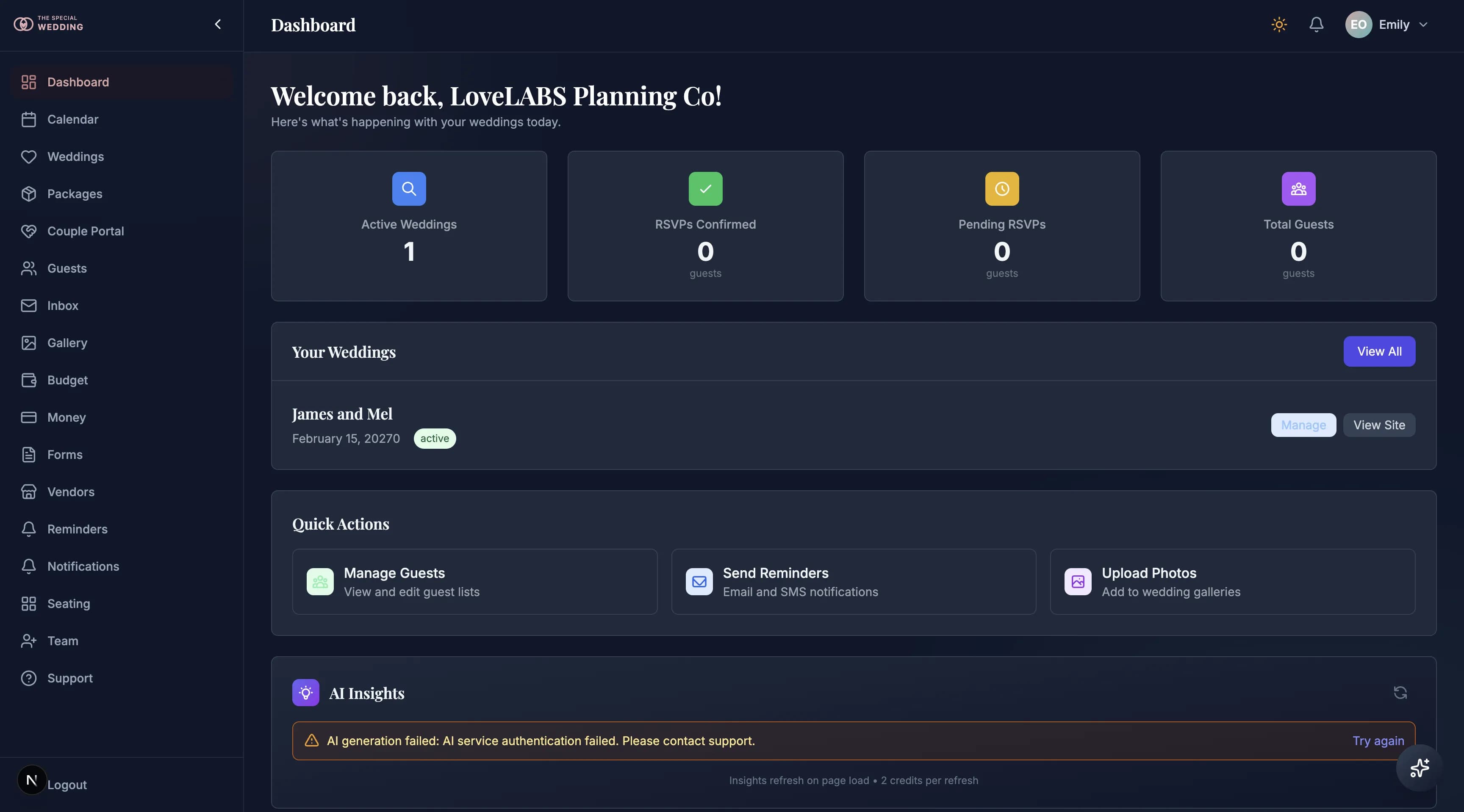
Open the app at 8am and see exactly what changed overnight — no CSV, no refresh.
Most planners start their week stitching together HoneyBook pipeline, Aisle Planner tasks, a Google Sheet of RSVPs, and a Stripe tab for overdue invoices. The Morning View replaces that ritual. One live dashboard surfaces every wedding's RSVP velocity, cash-flow alerts, overdue payments, unread couple messages, upcoming milestones, and AI-surfaced insights — because every surface writes to the same record this reads from. Activation funnels, retention cohorts, and the full audit log live here too, so you know what your business is doing without ever exporting anything.
🗓️
Operations
Wedding Timeline & Event Days
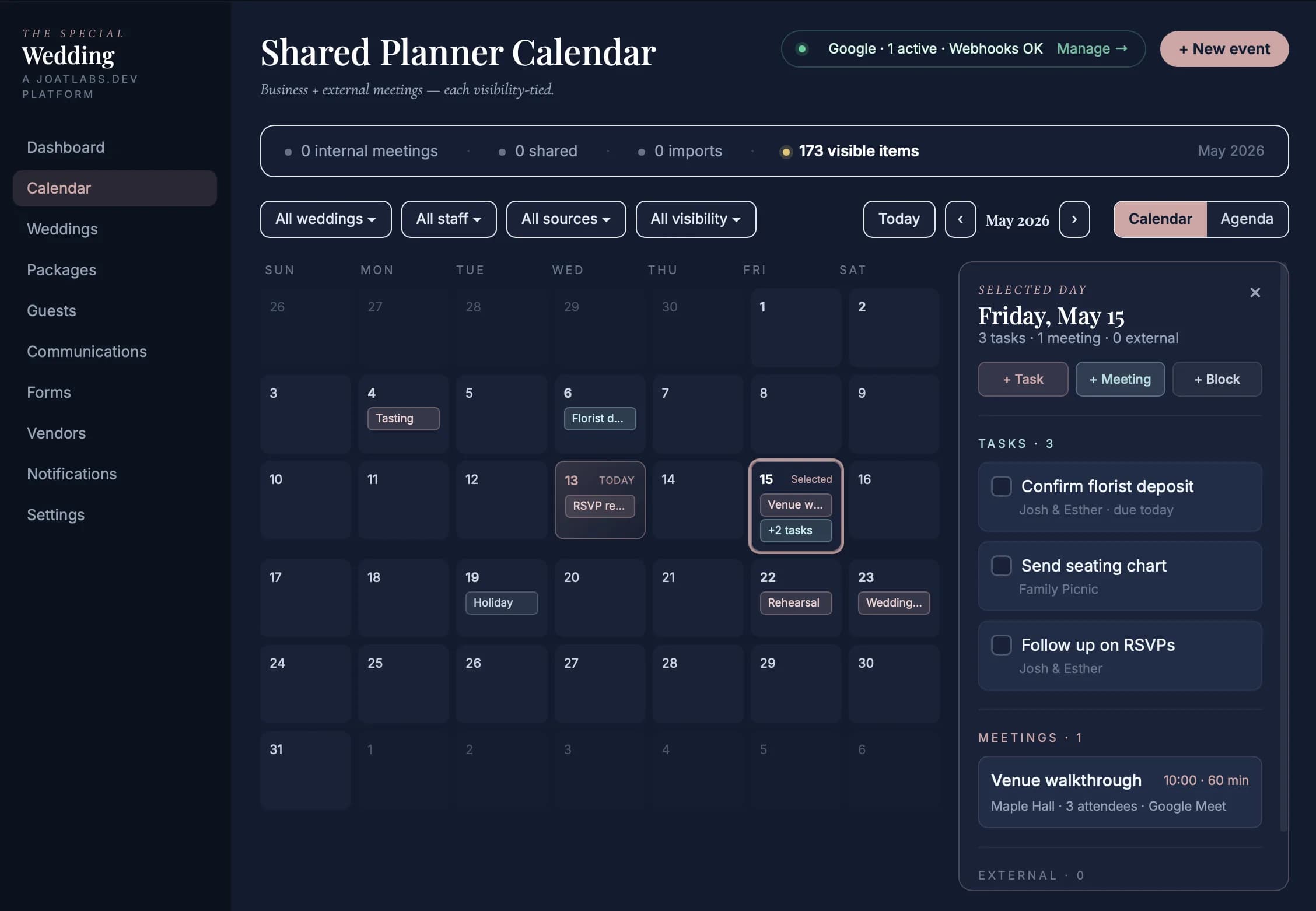
Build each event day once — ceremony, reception, brunch, cultural events — and keep the planner, couple, team, and slug aligned.
A wedding is rarely one block on one calendar. Configure the rehearsal, ceremony, reception, brunch, and cultural events with dates, venues, times, attire, and order-of-events. The planner timeline, couple portal, reminders, and public slug all read from the same event-day record, so a time change updates the guest-facing schedule instead of becoming another PDF you have to resend.
💍
Planner Portal
The Couple Sees What You See
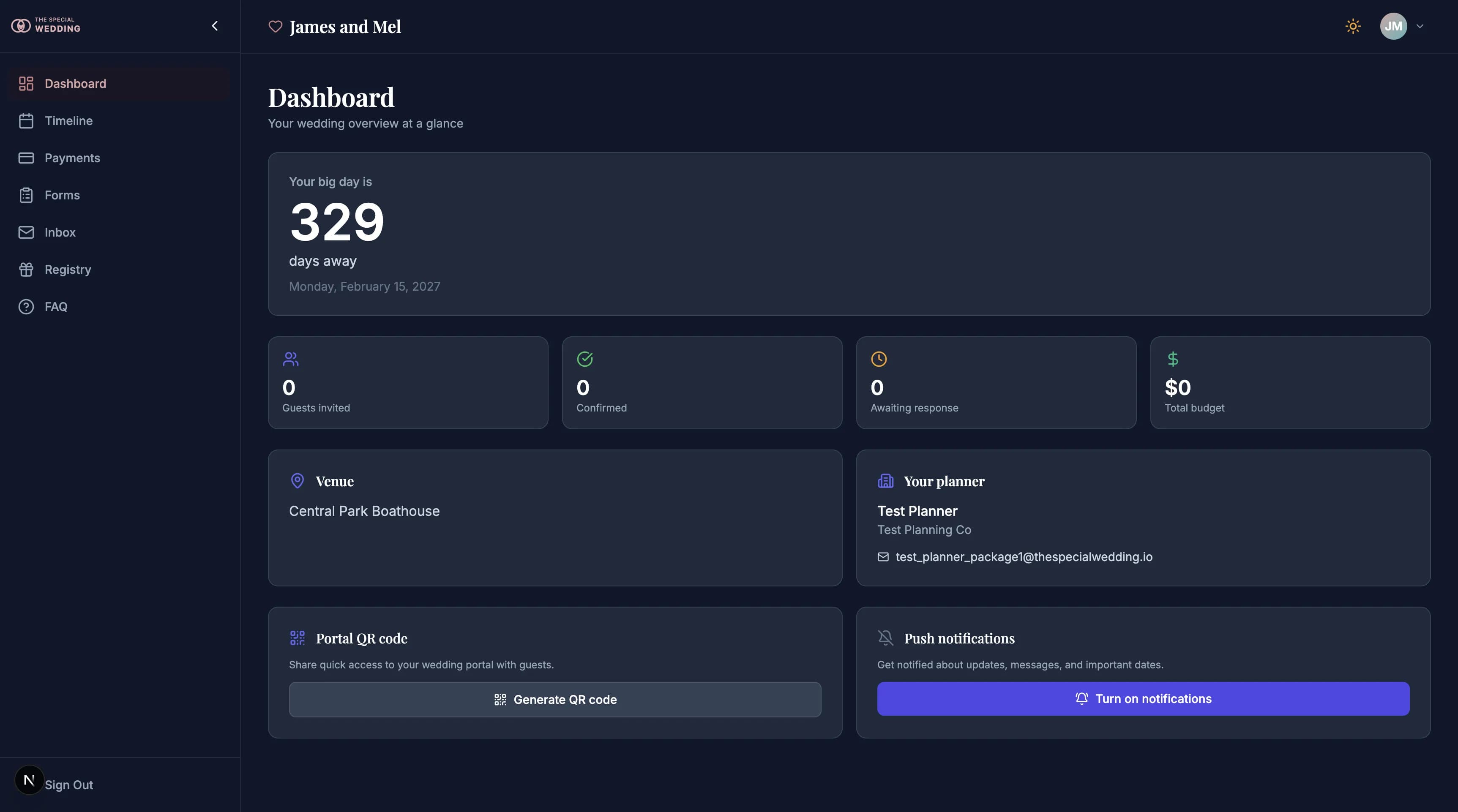
Stop being the human API between the couple and every planning tool.
Nine months out, your couple texts for the fourth time: 'what time is cocktail hour again?' Because the answer lives in a Google Doc they can't find, a venue email they've archived, and a timeline PDF you sent in January. The Couple Portal ends that loop. Couples log into the same record you work in — dashboard, timeline, payments, forms, inbox, meetings, push notifications. They maintain their own registry URLs and FAQ entries (rendered on both the portal and the public microsite). They annotate events and order-of-events with threaded, status-tracked notes you reply to in place. They submit forms on their schedule. The inbound texts stop because the answer is always live on the record they're already reading.
🌐
Wedding Website
The Microsite Auto-Publishes
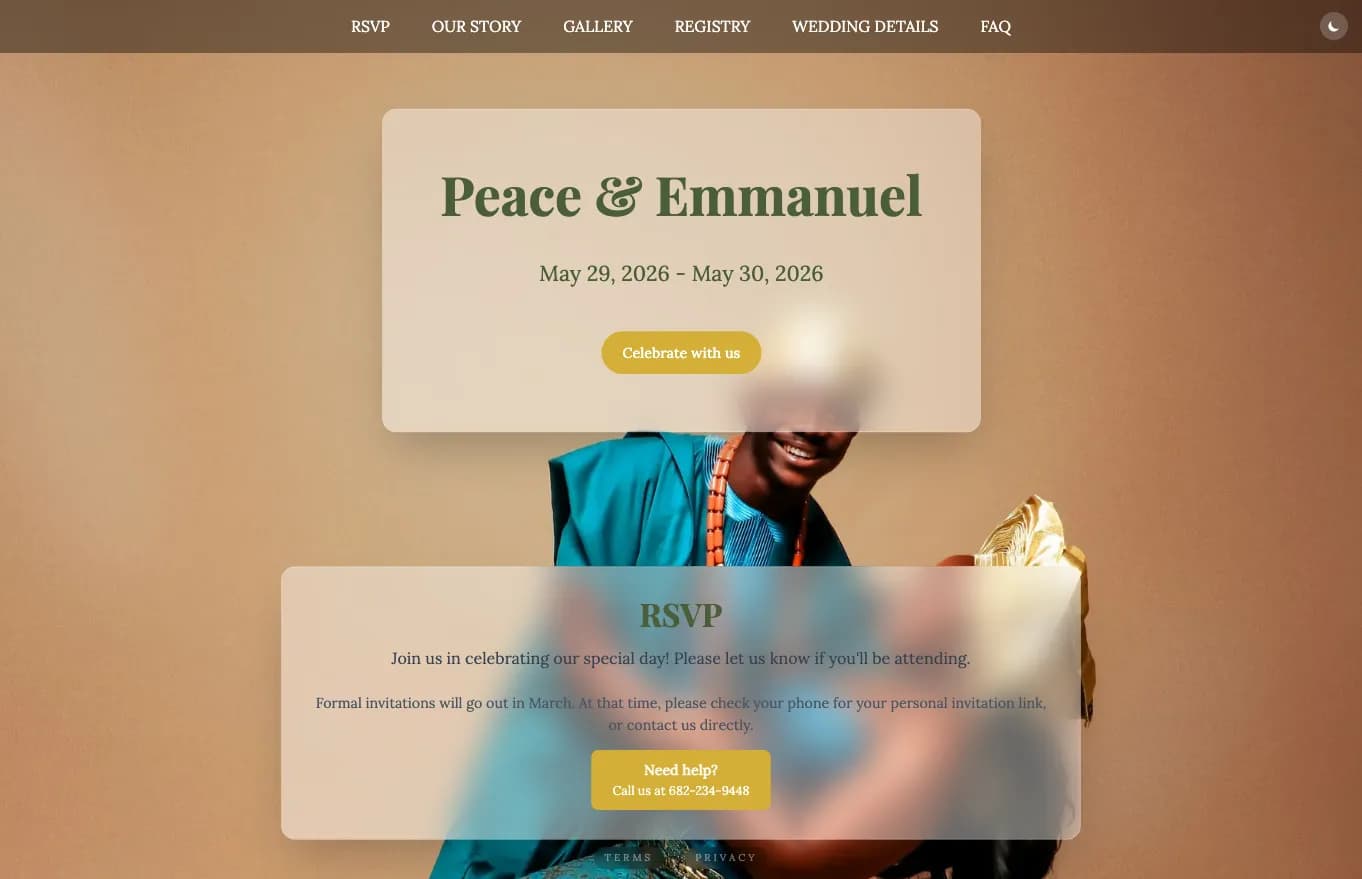
Every wedding ships with a branded microsite — no Squarespace, no extra login, never out of date.
Booking a couple used to mean another $200/yr Squarespace site, another login, another place the schedule can go stale. Not here. The second a wedding exists in your dashboard, its public microsite is live: theme colors, fonts, the couple's story, wedding party, event schedule, gallery, RSVP flow, and guest memory uploads. Every surface reads the same record you write to — so the website can never drift from the plan. The wedding-website builder category, for this couple, ceases to exist.
⚙️
Planner Setup
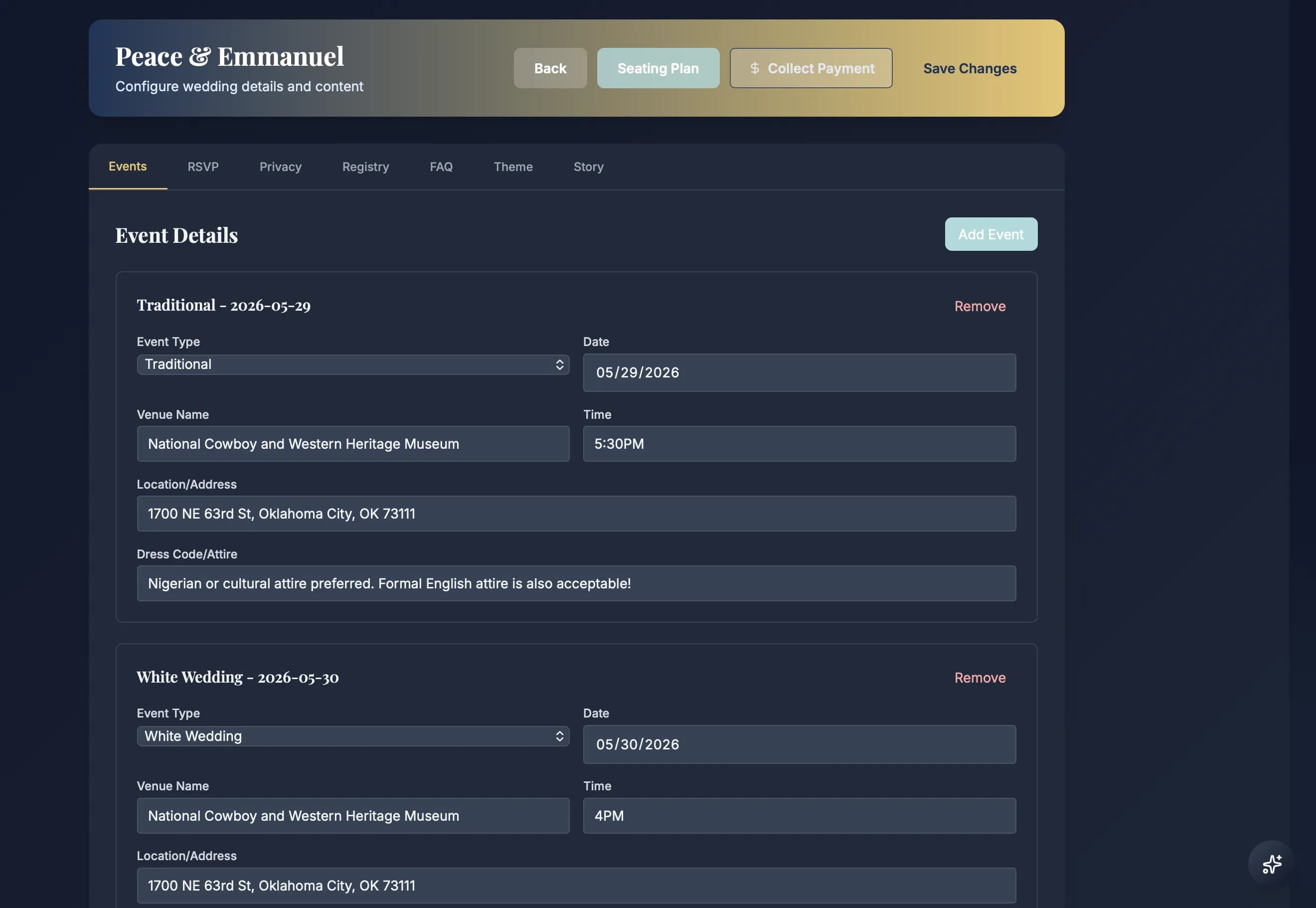
Wedding Configuration
Set the wedding details once: event days, RSVP rules, privacy, registry, FAQ, theme, story, and slug content.
The Configure screen is the easy setup layer for what appears on the public wedding slug. Add event days with venue, time, location, and attire; choose RSVP and privacy rules; maintain registry and FAQ content; set theme and story details; then save once and let the public microsite, couple portal, RSVP flow, and guest schedule read the same source. No rebuilding the wedding website every time a planner edits a detail.
🖼️
Planner Media
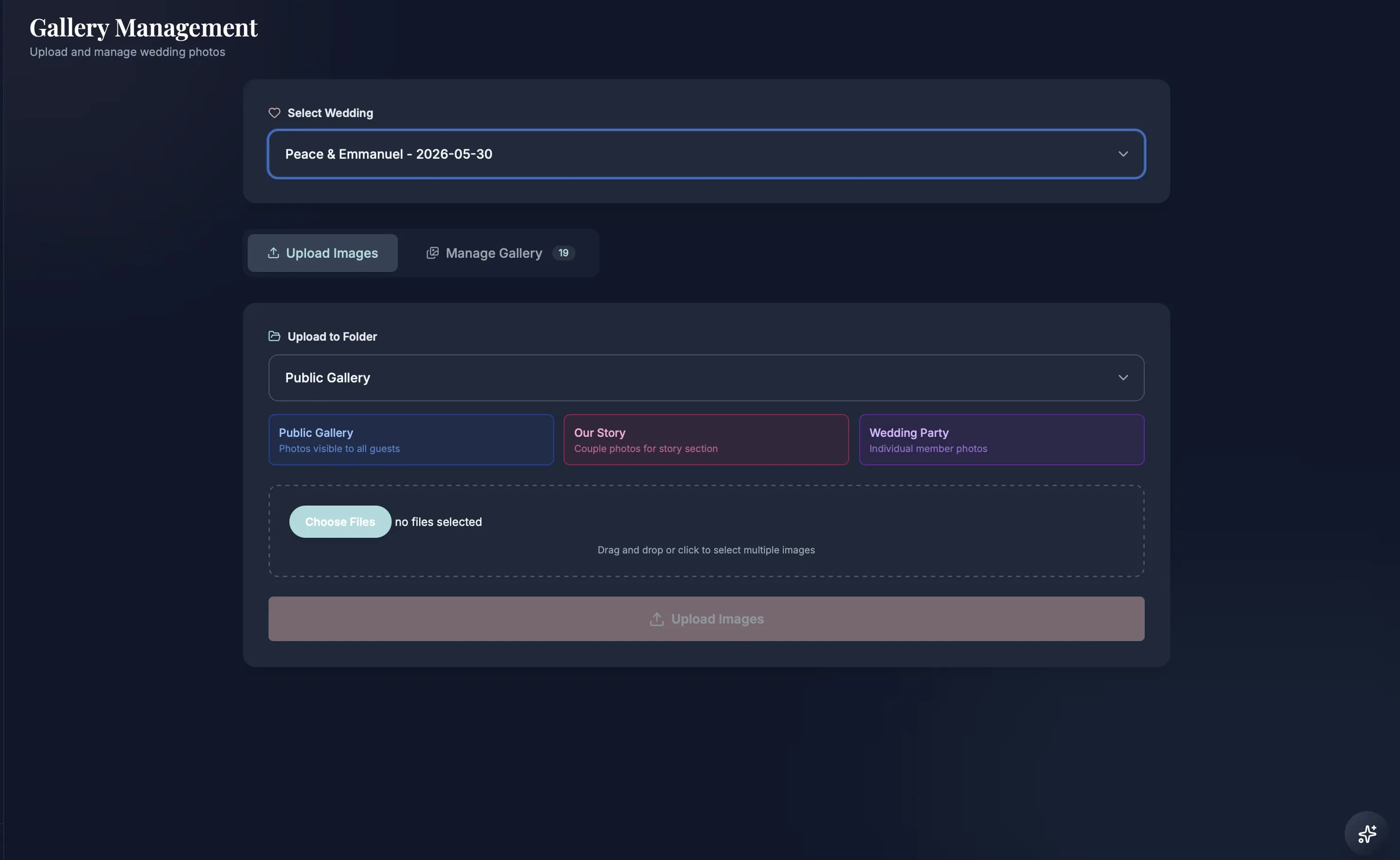
Gallery Management
Manage public galleries, story images, wedding-party photos, and guest-list-to-slug publishing from one place.
Gallery Management is more than uploading pretty photos. The planner can organize public gallery assets, assign story and wedding-party images, and sync wedding-party members from the guest list so bridesmaids, groomsmen, maid of honor, and best man details can appear on the slug without double entry. The same media library feeds the microsite gallery and the couple-facing story, while Guest Memories stays the upload-and-review flow for photos guests capture at the wedding.
👥
Guest Pipeline
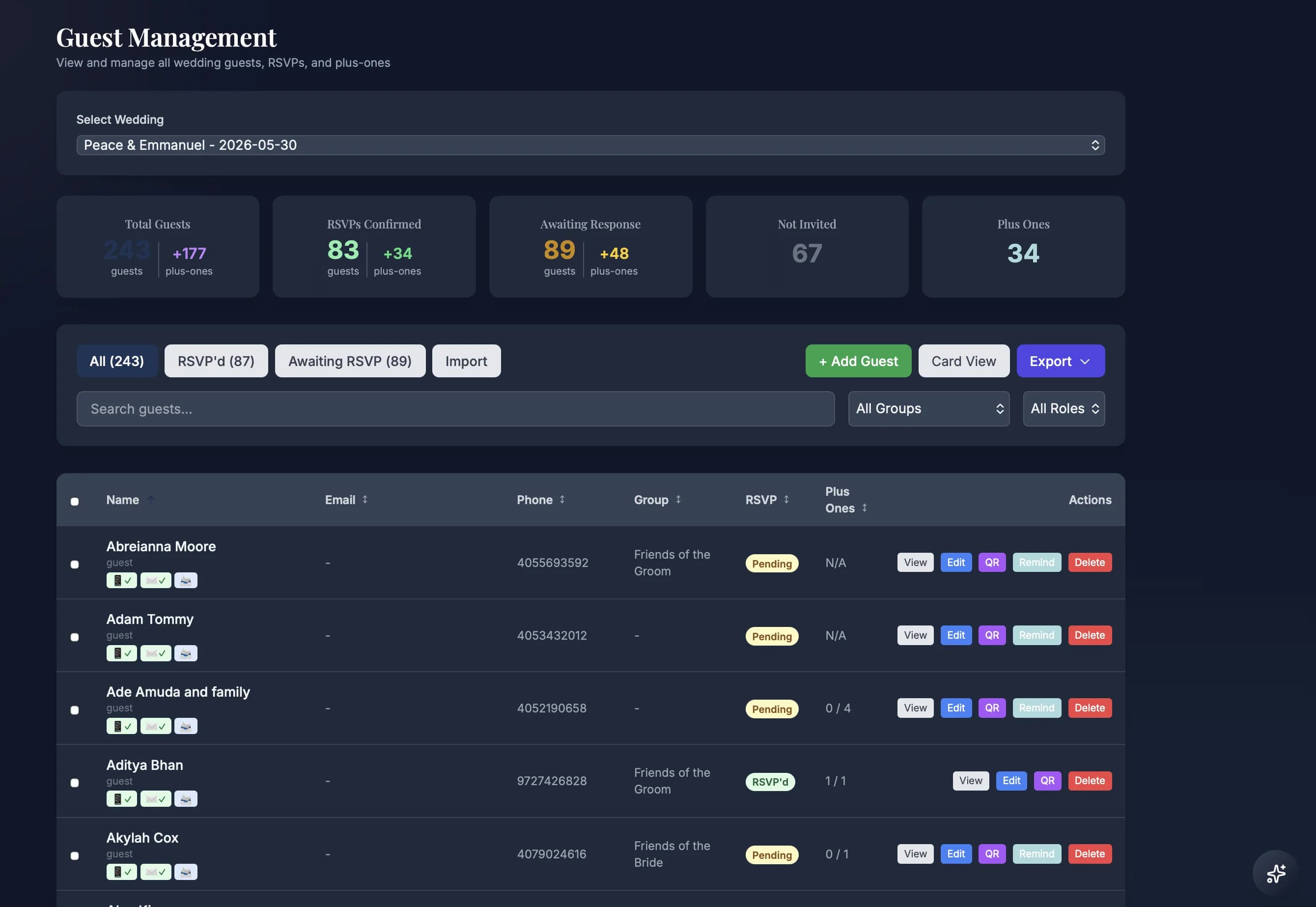
Guest Management
Manage the wedding guest list, RSVP status, plus-ones, groups, and guest details from one planner page.
This is the planner's guest operating table, not a generic spreadsheet. Import the list, clean up households, manage RSVP status, track plus-ones, capture meal and accessibility notes, and open the full guest profile when something changes. Every guest record feeds the RSVP flow, reminder sends, seating chart, catering counts, couple portal, and day-of exports, so the same person is never patched in five places.
🪑
Guest Pipeline
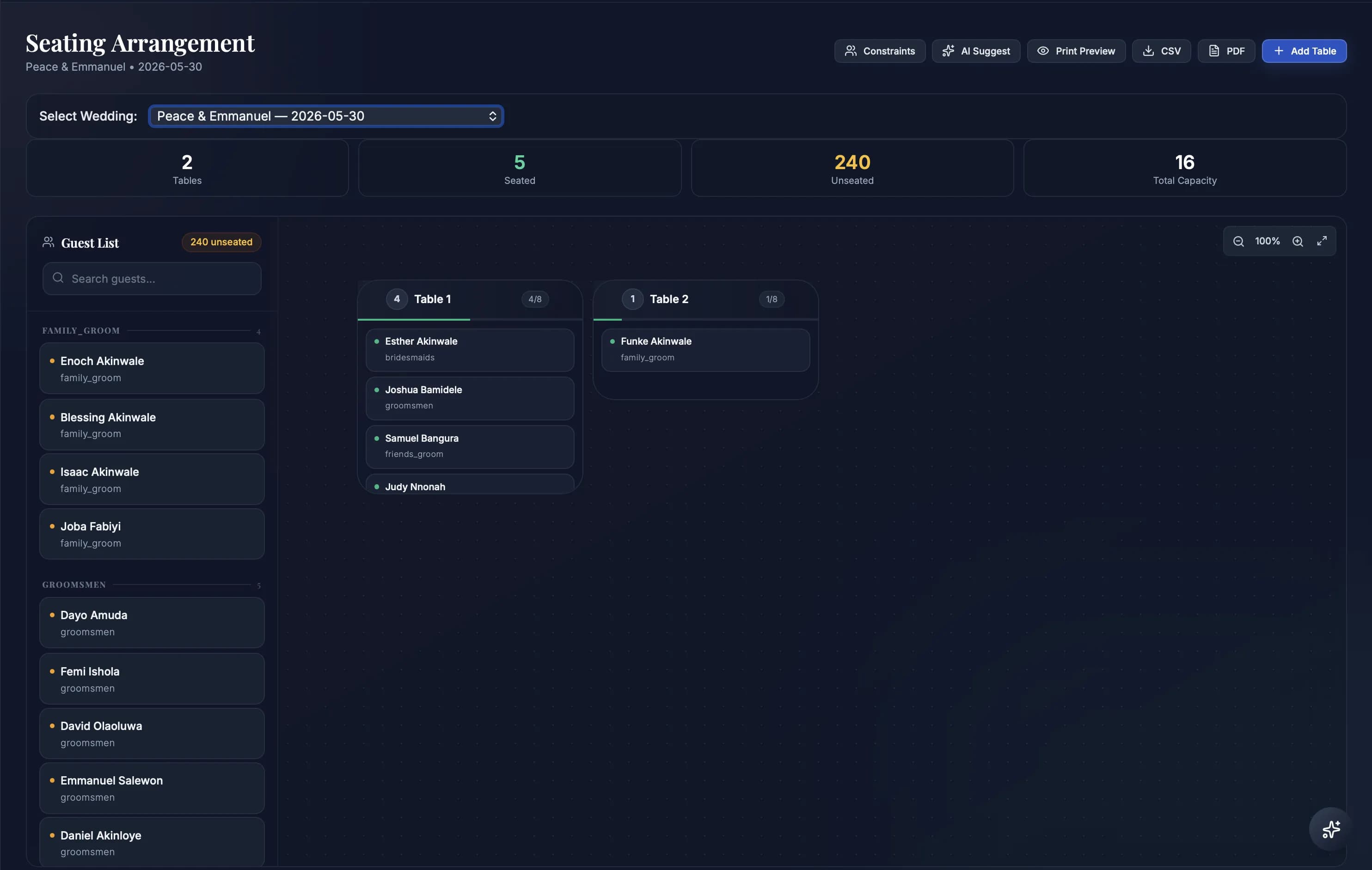
Seating Chart Orchestrator
Turn the confirmed guest list into tables, meal counts, and seating assignments without rebuilding from a spreadsheet.
This is the seating surface. Confirmed guests, plus-ones, meal notes, households, VIPs, and group constraints flow in from Guest Management, then the planner arranges tables from the same record. When six guests cancel twelve days before the wedding, the chart, meal counts, and export data update without another CSV round trip. AI can flag awkward placements or propose table groupings when family rules collide, but the planner stays in control.
📷
Planner Media
Guest Memories
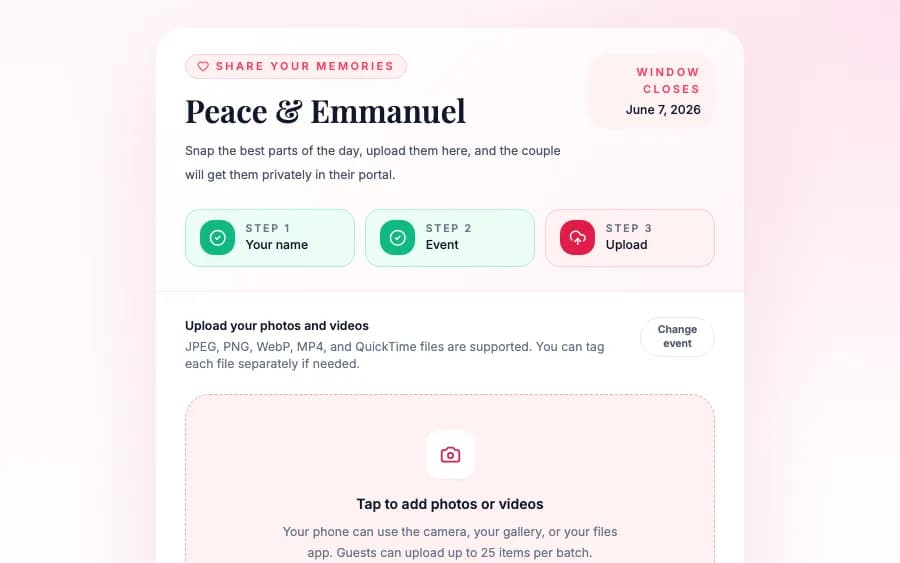
QR on the table → guests upload → couple reviews in the portal → export as a ZIP.
This is the guest-facing upload flow. The planner generates a QR sign, guests scan it from the reception, enter their name, choose the part of the celebration, and upload photos or videos from their phone with no account and no app install. The couple reviews every memory privately in their portal before anything becomes part of the gallery, then exports kept memories as a ZIP. The planner controls the link, QR rotation, and close date; the couple owns review and downloads.
📨
Planner Operations
Planner Communications
Message couples, guests, vendors, families, and RSVP groups from one planner-owned workspace.
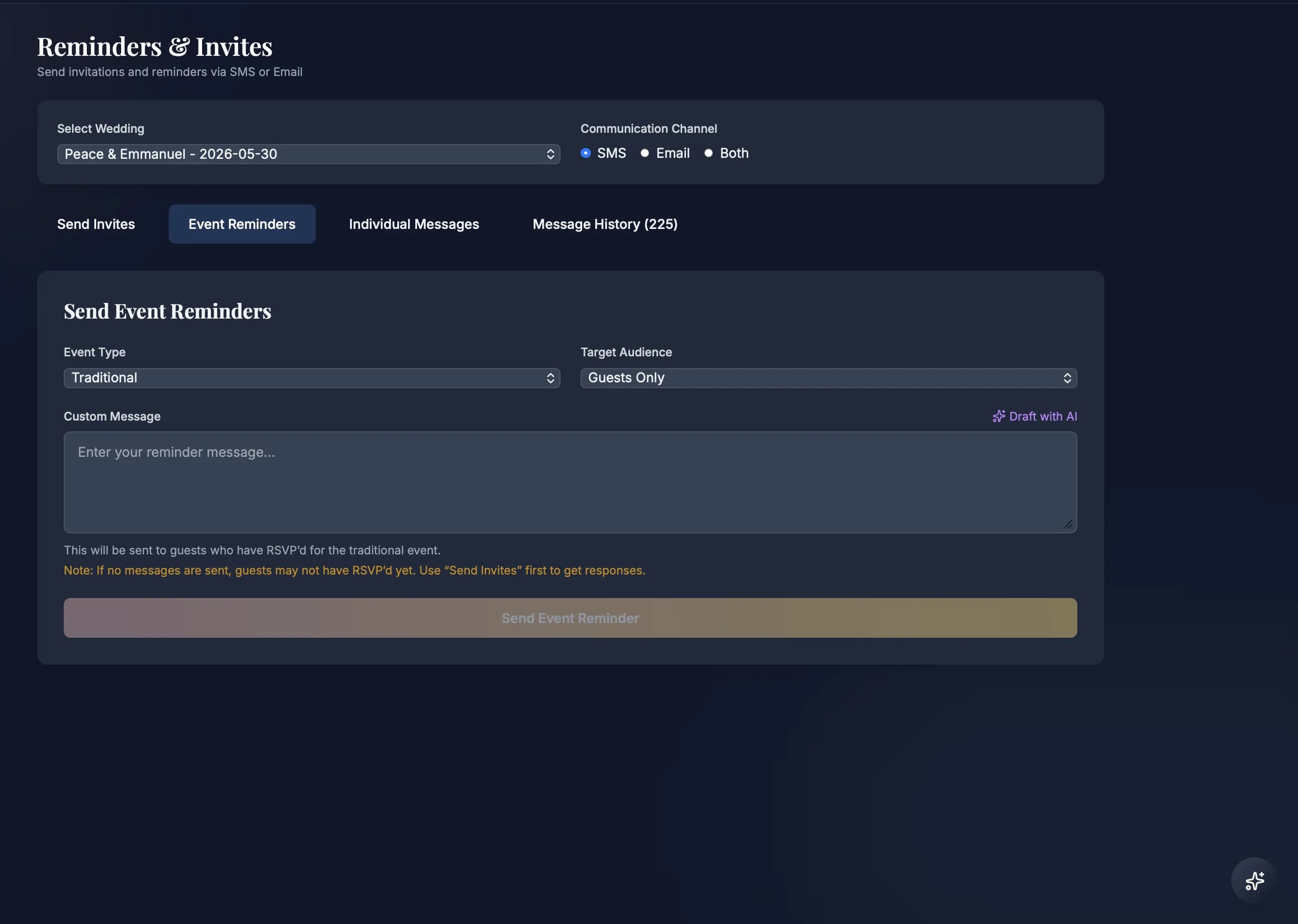
This is a planner communications workspace, not a couple-only inbox. The planner can answer couple messages, guest questions, family requests, vendor follow-ups, and support conversations from the same wedding record. The workspace includes Inbox, Reminders & Invites, RSVP messaging, individual messages, and message history. The composer can insert platform data such as the wedding URL, couple names, wedding details, RSVP links, and reminder context, then send to one person, a filtered guest group, a vendor, a family contact, or a mass audience without copying data out of the platform.
📝
Business Engine
Contract Canvas → Sign → Pay
Build a contract from the vendor or package record, send it for signature, and collect payment into the planner account.
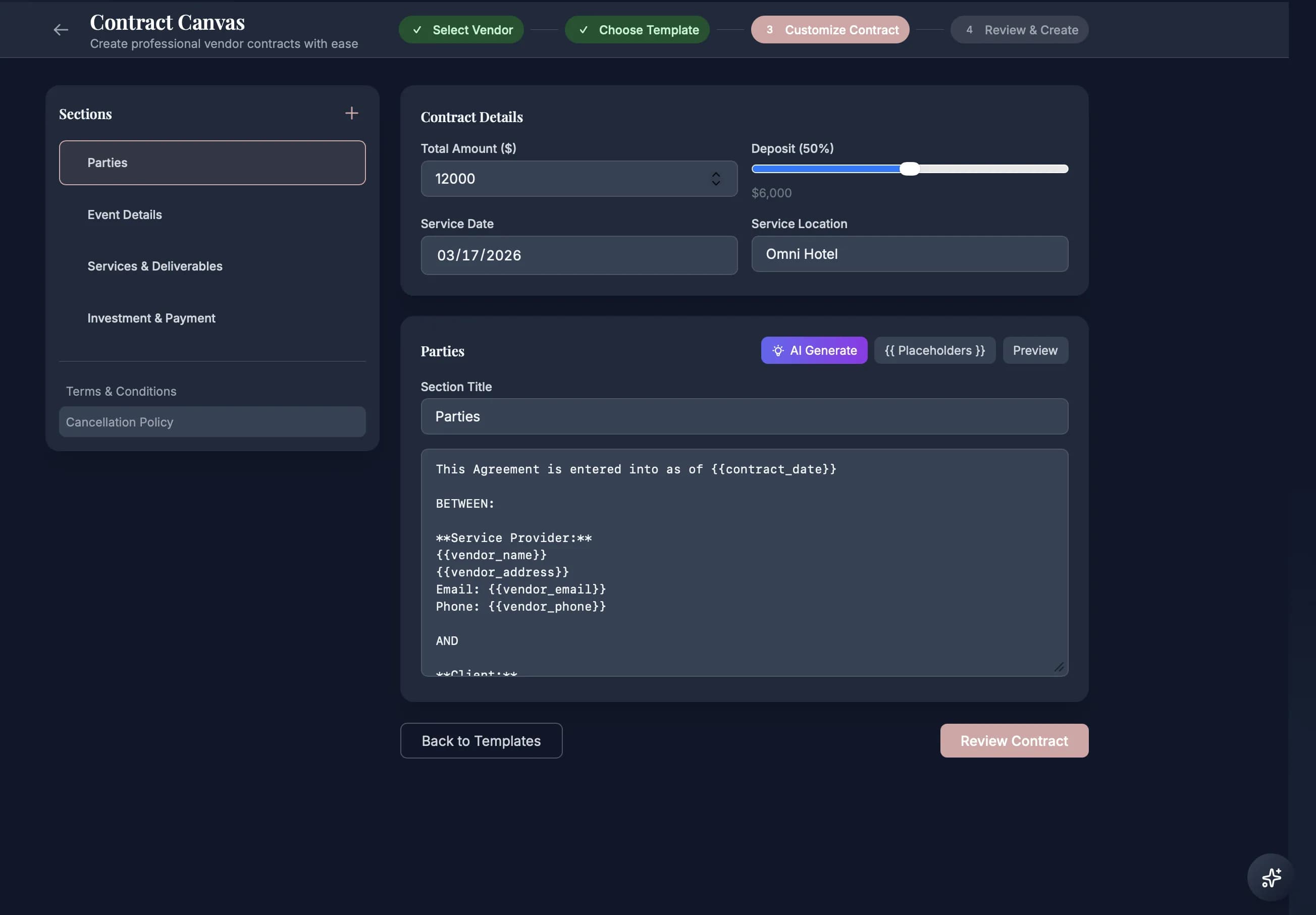
A planner should not have to leave the vendor directory to turn a quote into an agreement. Open the contract canvas, pull in vendor details, package pricing, clauses, deliverables, and payment terms, then send a secure signature link to the couple. The couple signs and pays through Stripe; funds land in the planner's connected account so the planner can pay the vendor from the same operational record. Contract, payment, vendor notes, and couple communication stay together instead of splitting across DocuSign, Stripe, and a side spreadsheet.
🤖
Business Engine
Payment Autopilot
Stripe charges on schedule; failed payments retry on a 1 / 2 / 4 / 7-day backoff without your touch.
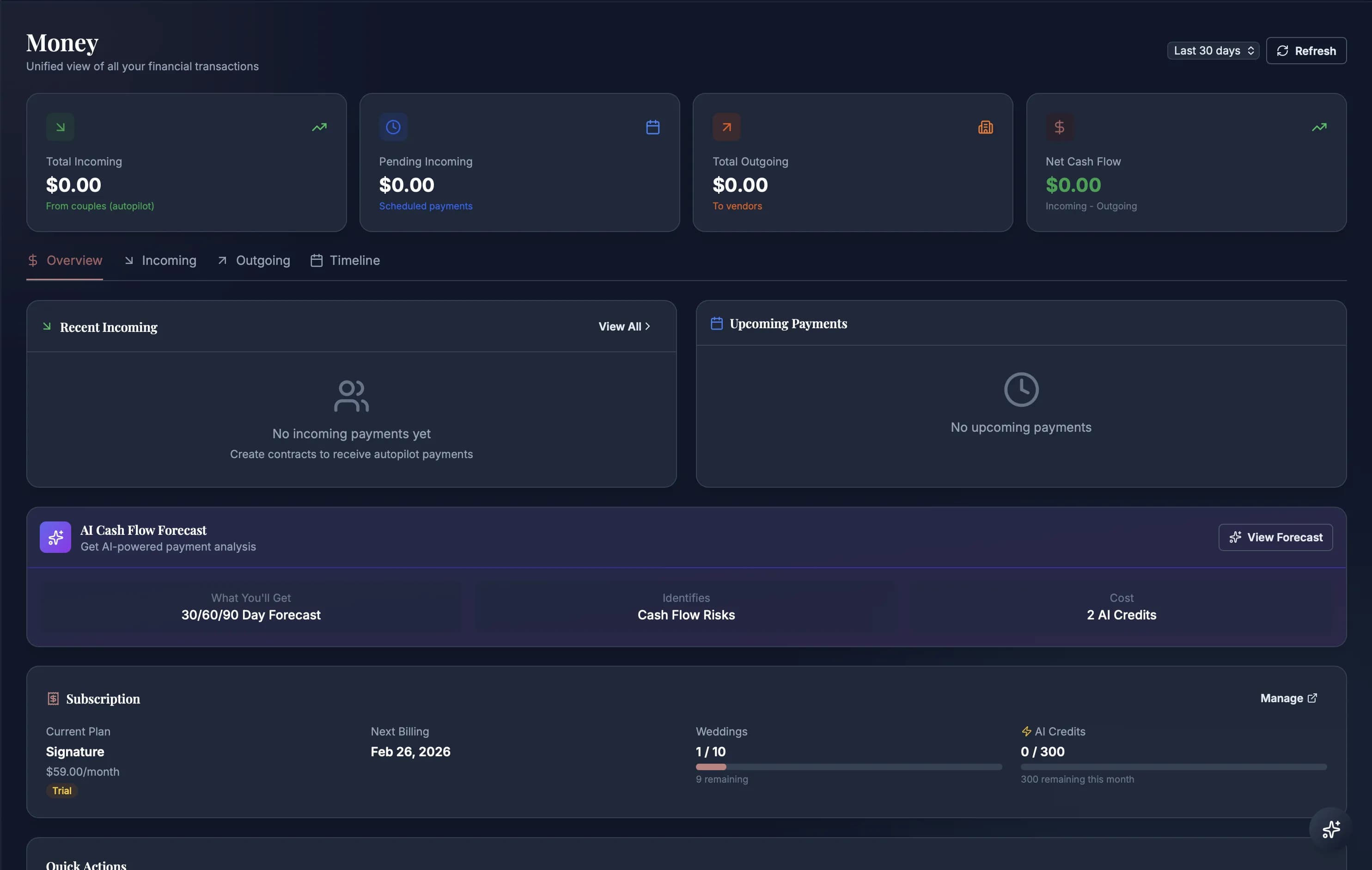
Deposit is paid. Now it's six months of milestone invoices you either chase manually or watch slip into net-60. Payment Autopilot is a cron service that runs four times a day: it charges saved cards on milestone dates, sends reminders three days out, retries failed charges on a 1-day / 2-day / 4-day / 7-day backoff (max four attempts), and posts every outcome to an immutable log. Wedding date moves — the schedule recalculates automatically. A payment hits 402 — the autopilot status panel surfaces it to you before the couple notices. QuickBooks invoicing, Dubsado recurring charges, the manual Stripe dashboard — gone.
💰
Business Engine
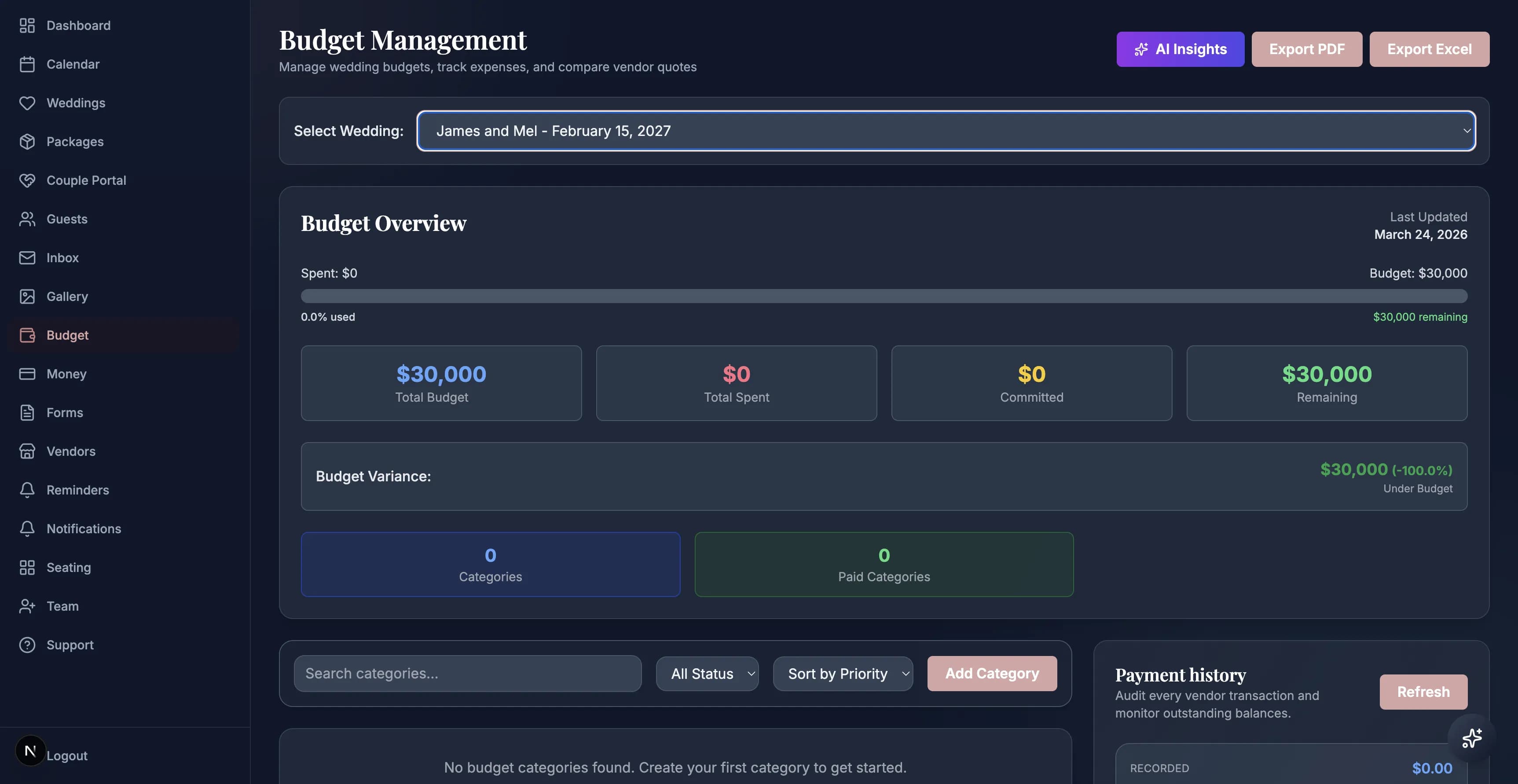
Budget & Quote Negotiation
Category budgets that warn you before overruns, with AI that pressure-tests every vendor quote.
Three quotes from three florists, three PDFs, and no easy way to compare whether $14,000 for centerpieces is market or a rip-off. Budget here isn't a spreadsheet — it's a quote-negotiation workflow. Apply a budget template to a wedding or let AI generate one from event type and guest count. Log vendor quotes against the right category; the `quotes/compare` endpoint pressure-tests them against historical data and flags the outlier. Planned-vs-actual spend reads from the same record as the contracts and payments it references, so overrun alerts fire before a line item ships — not after.
🏛️
Business Engine
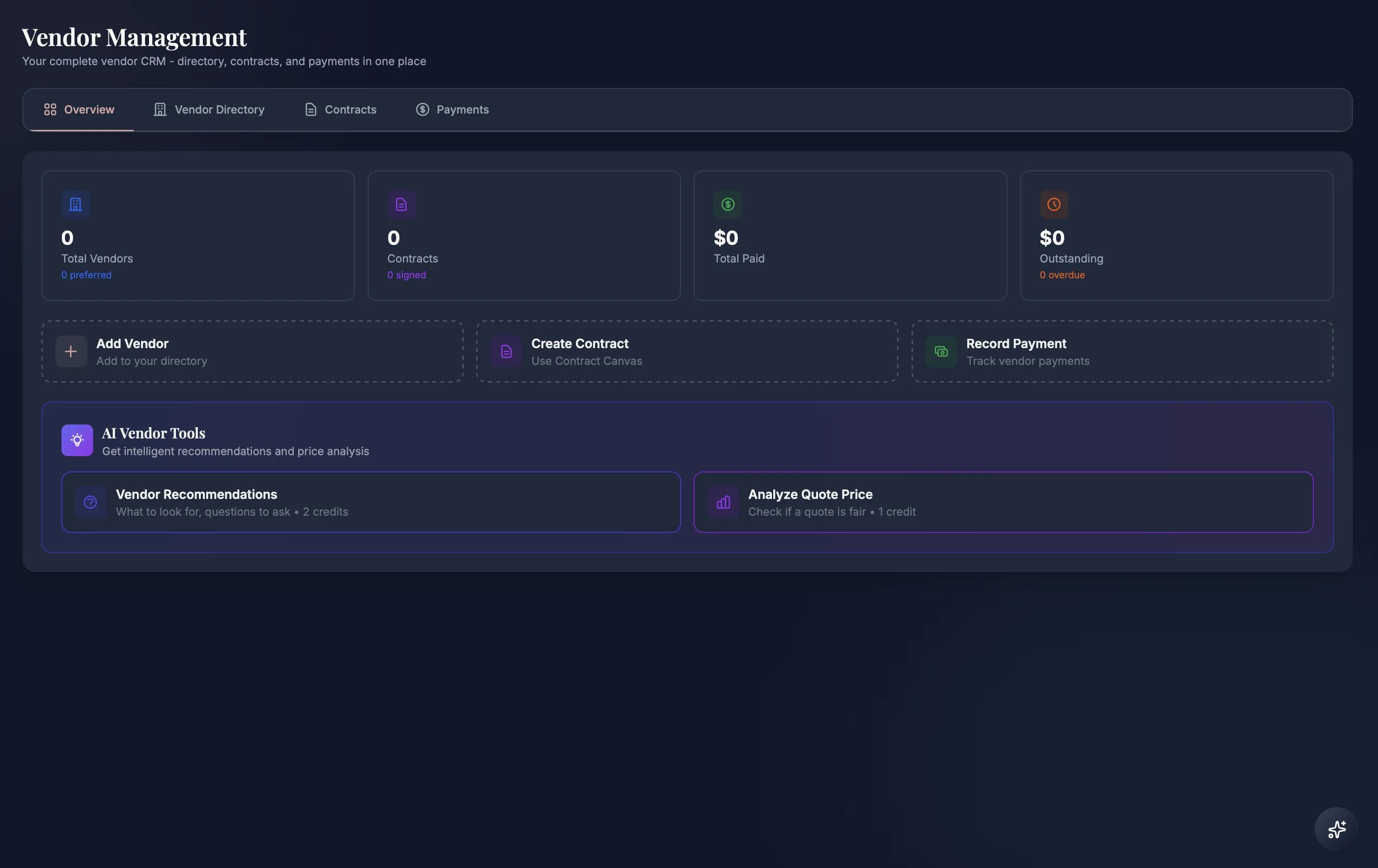
Vendor Directory & CRM
Keep vendor discovery, private vendor records, notes, files, contracts, and payout history tied to the wedding.
The vendor directory is the planner's source record for the people and companies behind each wedding. Browse public vendor listings, save private contacts to your studio rolodex, attach documents, record notes, compare quotes, and launch the contract canvas when a vendor agreement needs to become a couple-facing signature and payment flow. The directory is not just a list of names; it is the vendor memory that keeps contracts, files, payouts, and collaboration history from disappearing into email.
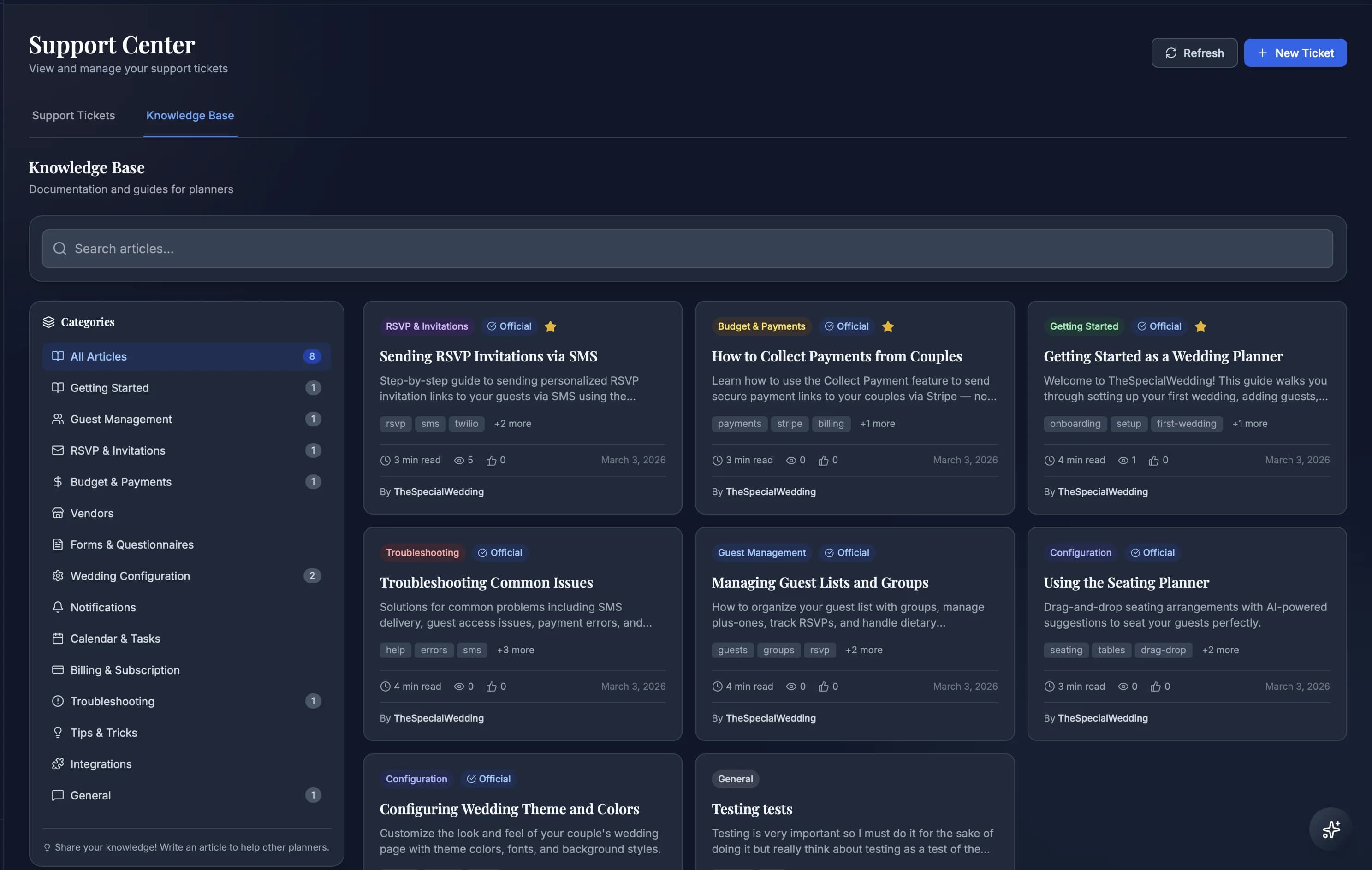
Searchable SOPs, platform guides, and planner playbooks live inside the workspace your team already uses.
When a new assistant joins or a planner forgets the exact Stripe, seating, inbox, or guest-memory flow, they should not learn by Slack archaeology. The Knowledge Base gives the studio searchable operating procedures, support articles, and platform guides in the admin workspace. Root admins can publish and maintain articles, planners can search by category, and the team has one living source for how the studio runs each wedding.
📋
Planner Intake
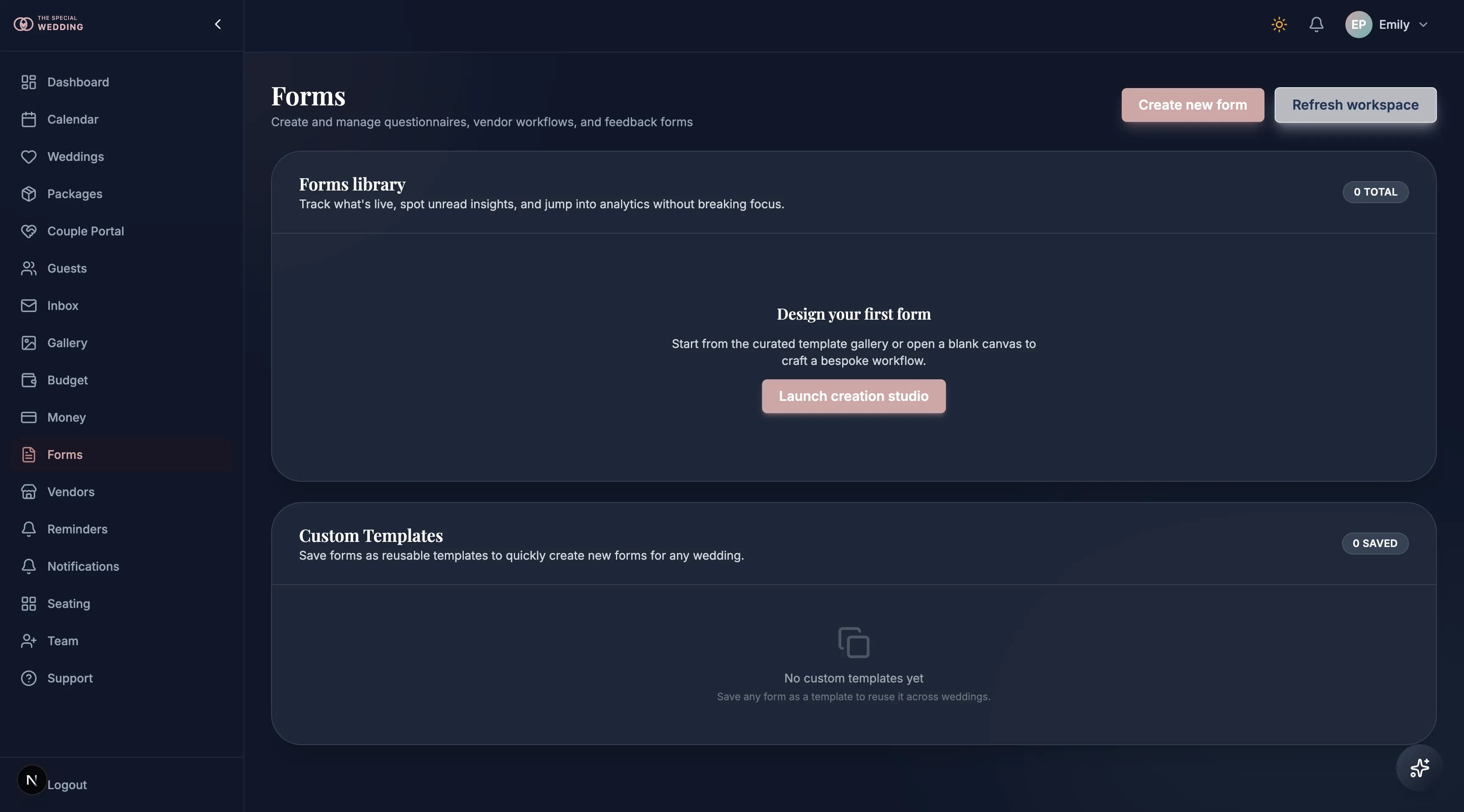
Forms Canvas
Send wedding checklists, onboarding questionnaires, vendor intake, and approval forms that write back to the record.
Forms are not just contact forms. A planner can build a wedding checklist, onboarding questionnaire, design-preference form, vendor intake, final-approval checklist, or post-event follow-up and send it to the couple, a vendor, or anyone who needs to provide information. The form canvas works like the contract canvas: drag fields, group sections, reuse templates, and collect structured answers directly on the wedding record. No Typeform bill, no Jotform export, no stale copies.
🧑🤝🧑
Operations
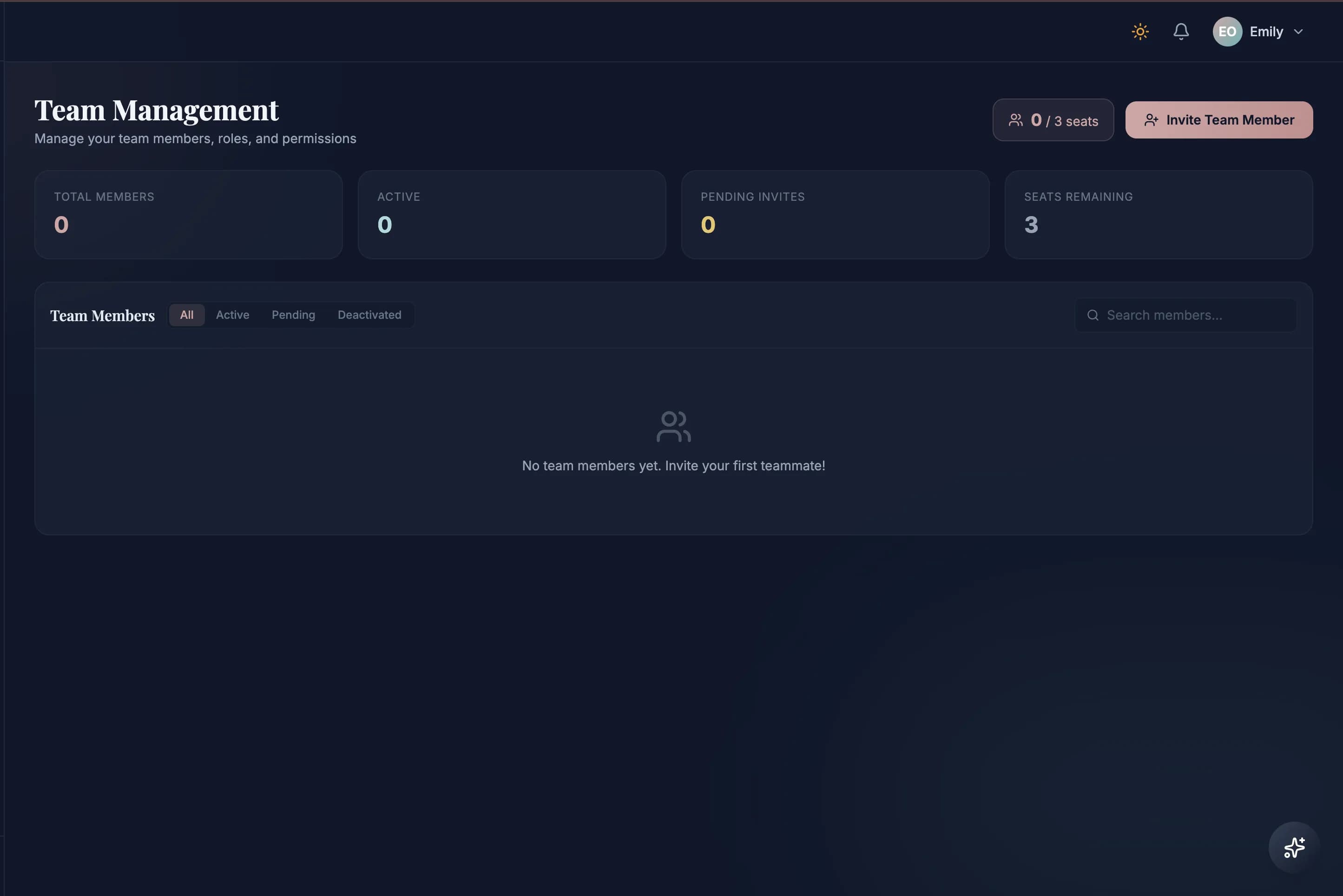
Team, Permissions & Audit
Invite teammates, scope them to specific weddings, and trace every action in the audit log.
Your assistant joins in March and needs to run point on three weddings while staying out of the other eight. In HoneyBook that's a shared login and crossed fingers. Here you invite her, assign her to those three weddings, and set her permissions granularly across twelve+ areas: guests, budget, gallery, vendors, contracts, forms, memories, and more. Every action she takes — an edit, a send, a delete — writes to the activity audit log alongside your own. Your team scales without the nightmare of screenshots pasted into Slack.